


Update OS for Maximum Security
November 24, 2025

Contact Details
Be U by Bank Islam
Menara Bank Islam
22, Jalan Perak,
50450 Kuala Lumpur
03 2779 0088
Copyright © Be U by Bank Islam
Bank Islam Malaysia Berhad. 198301002944 (98127-X)
All right reserved



November 24, 2025
OS is your device’s operating system that works to ensure an enhanced and functional software [2]. It is the backbone of the device and contains a lot of functions such as managing application, file, user interface, and also security [1].
Now that you know what an OS is, you might wonder, ‘why do we need to update it frequently?’
OS updates need to be done for bug fixes, patches, and modifications to ensure the software is stable and secure [2]. This heavily links to the security of your gadget. By enhancing the OS, it also increases security and protect you from hackers, spammers, and malwares.
Your device consists of a lot of private data, including banking information. It is why a lot of applications or features are not accessible if your gadget’s OS is not updated to the latest or specified version. Be U application is not excluded from this system as your updated OS is required for a smoother and secure banking experience.
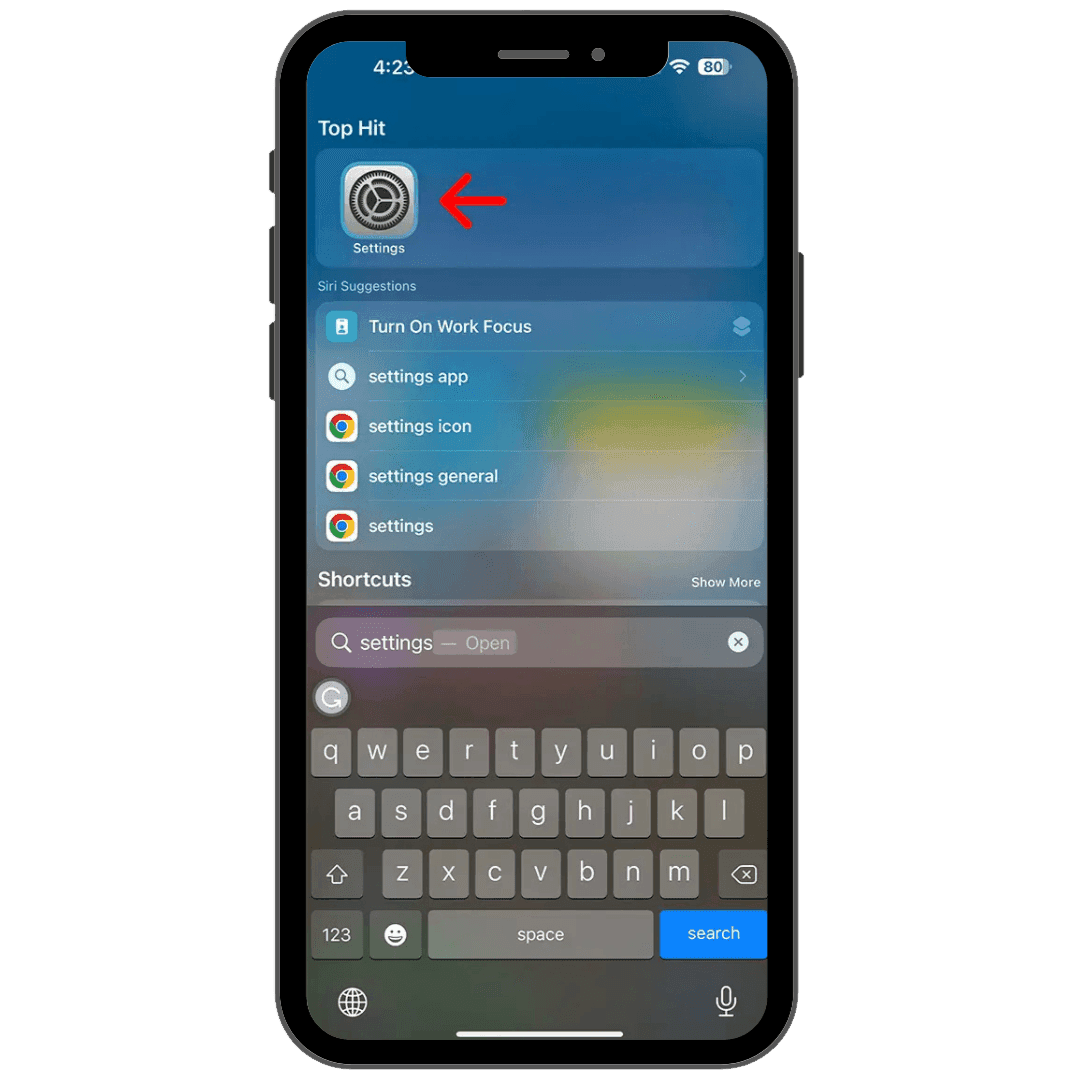
Go to settings
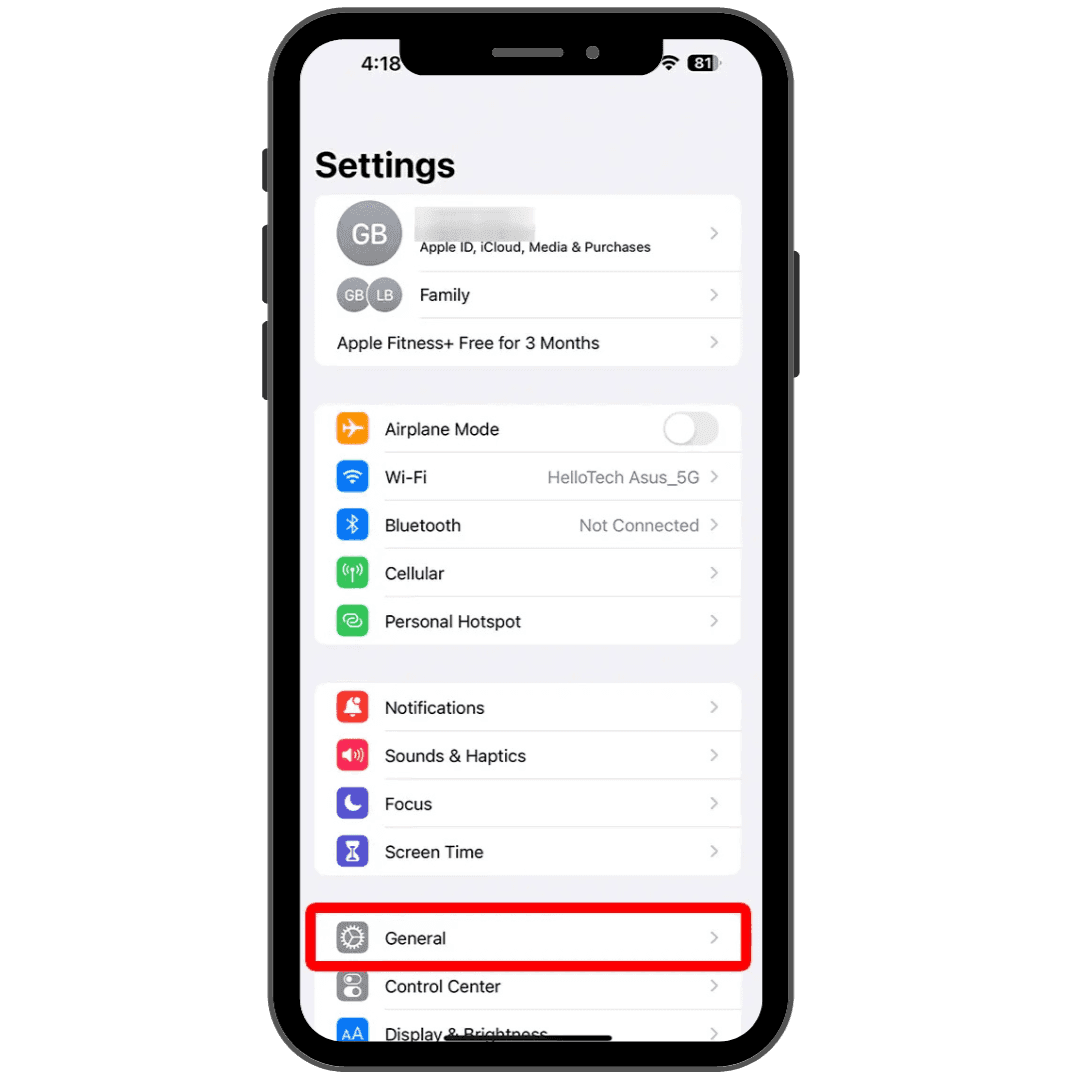
Click ‘General’
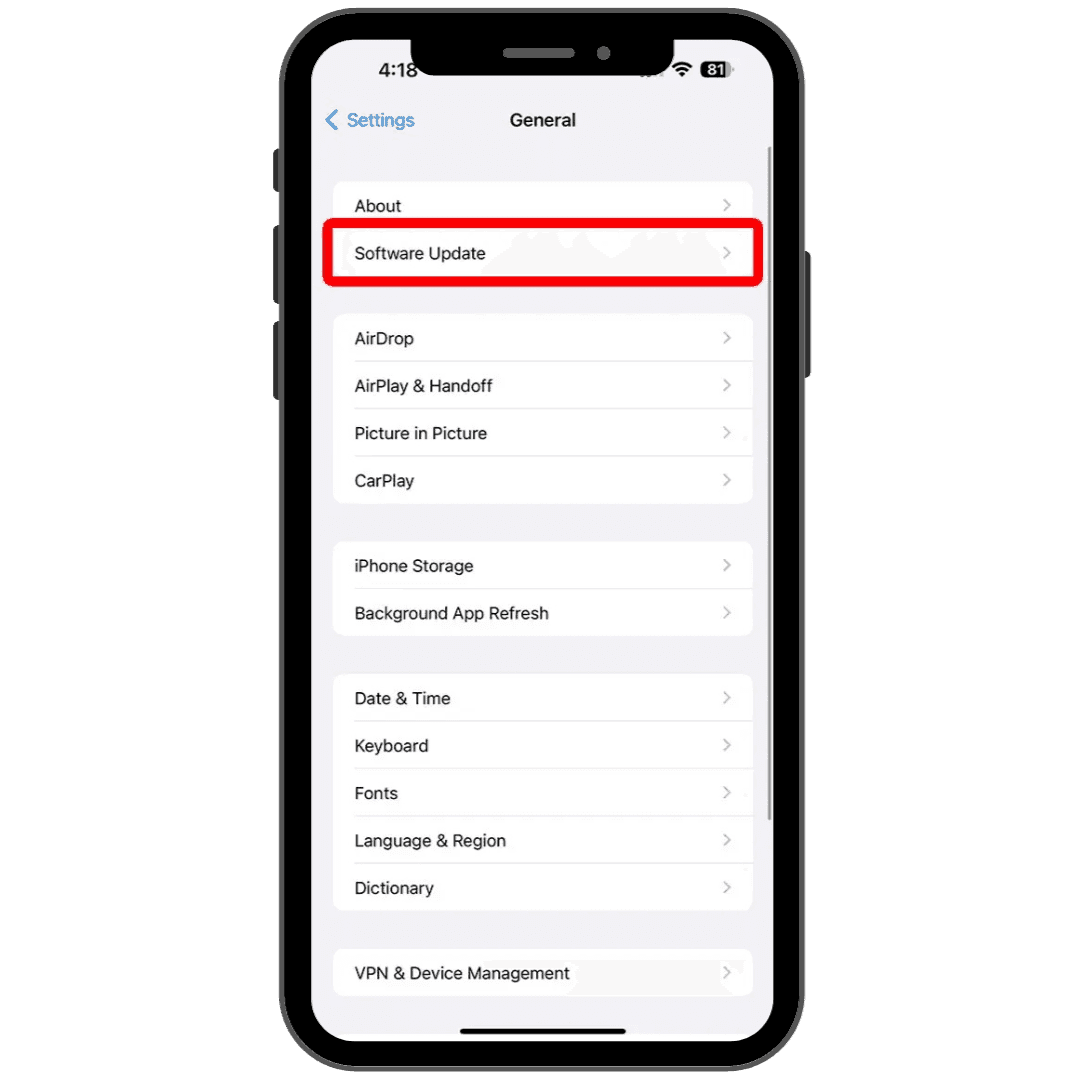
Go to ‘Software Update’
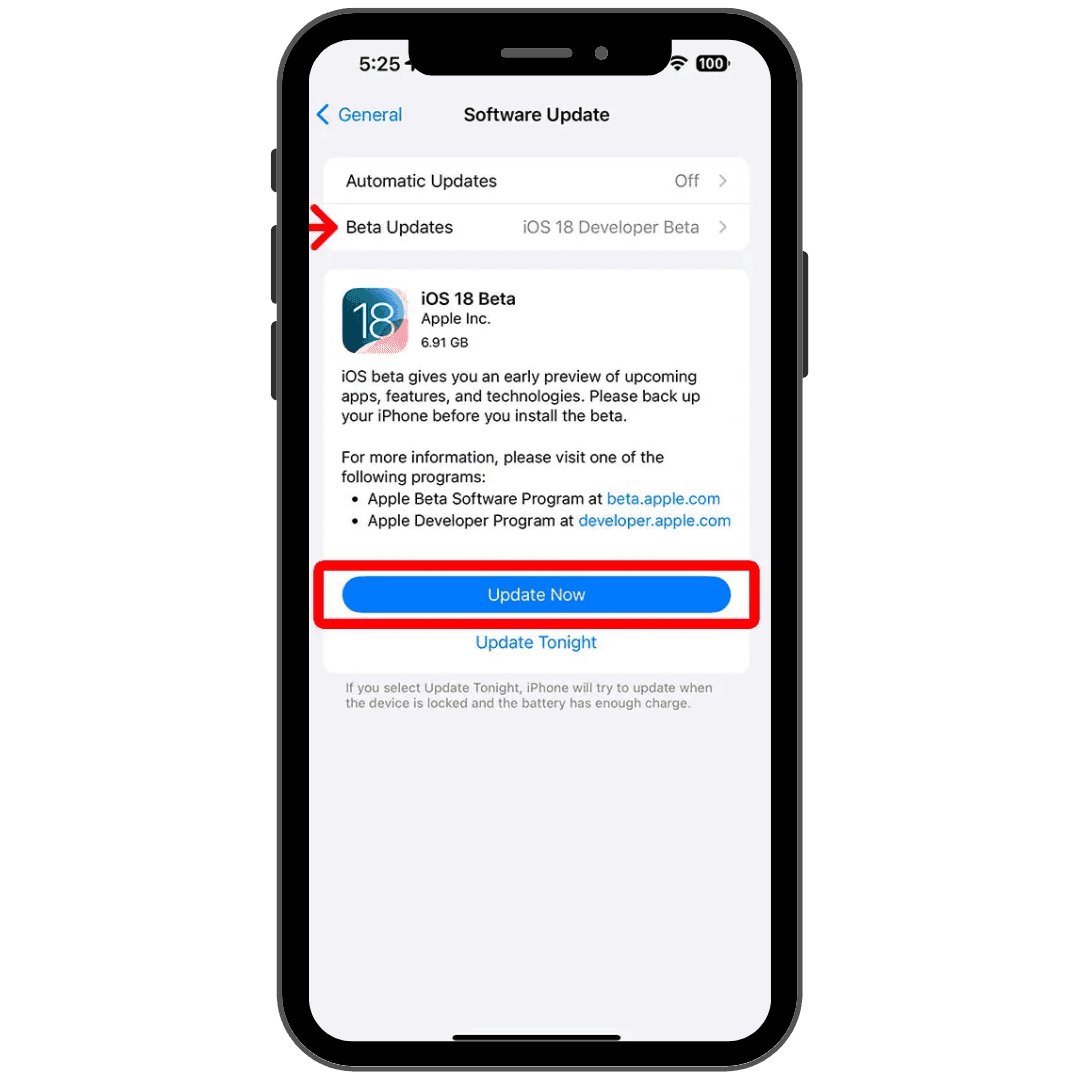
Update to latest version
Go to settings
Click ‘General’
Go to ‘Software Update’
Update to latest version
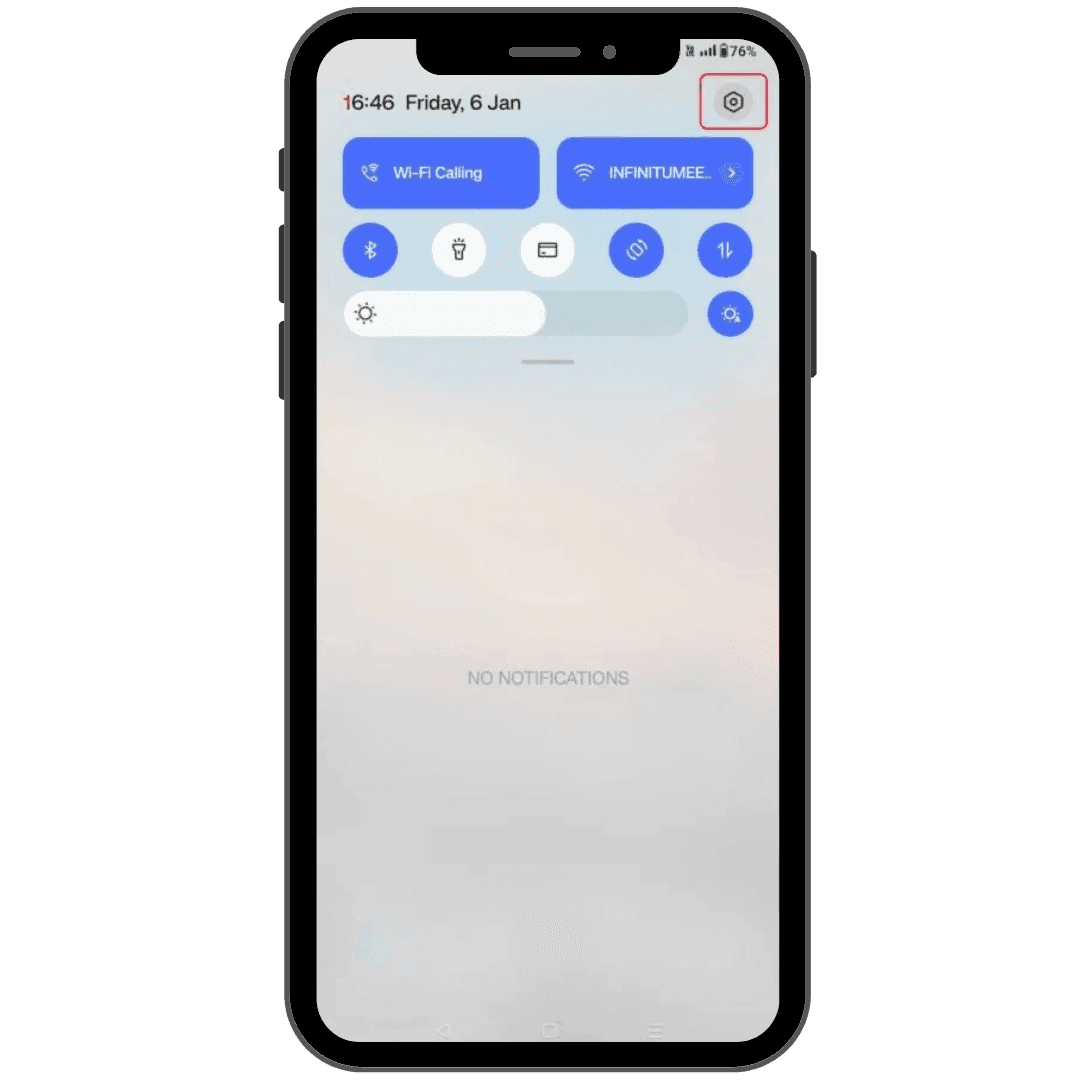
Go to settings
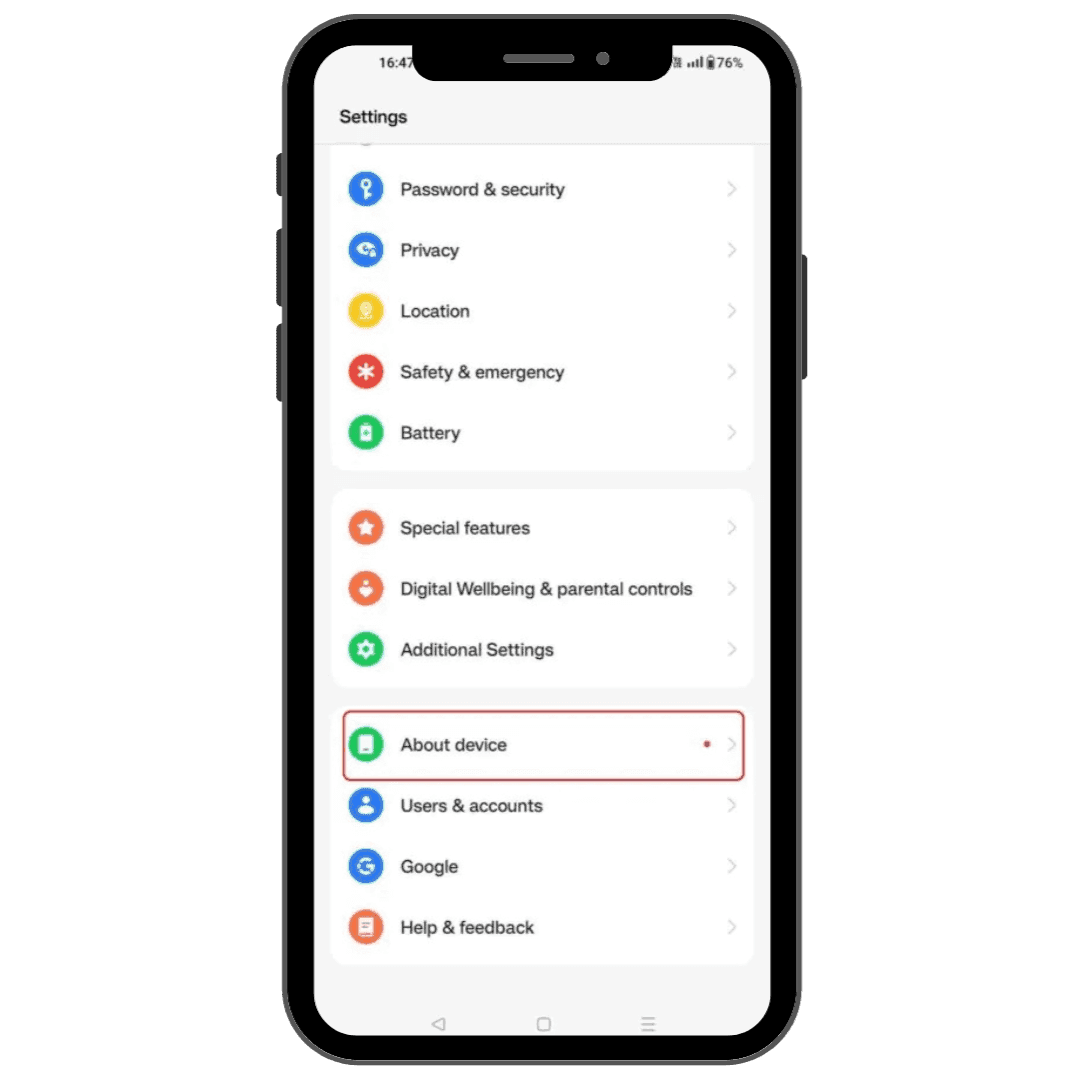
Click ‘About device’
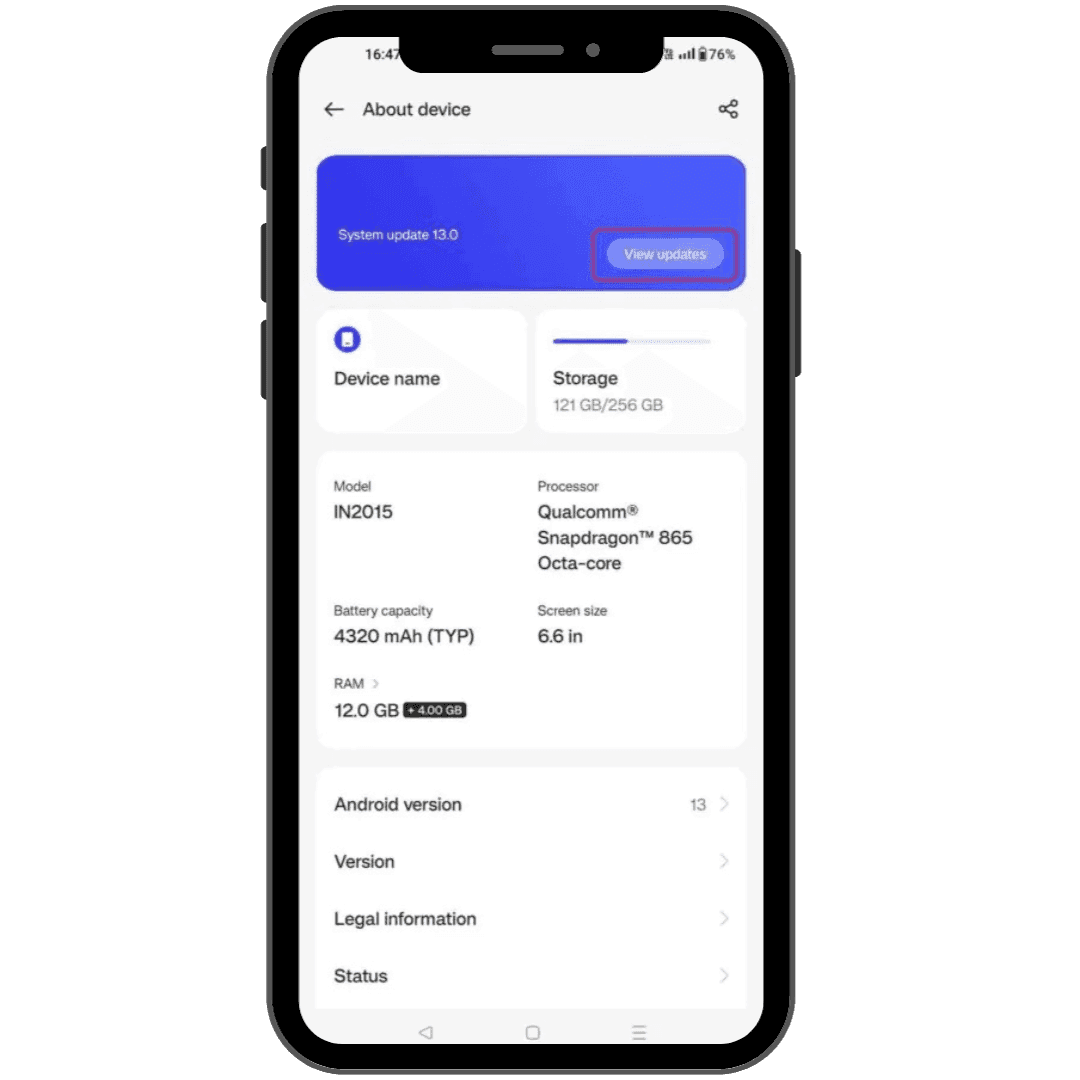
View/Software/System updates (depends on device)
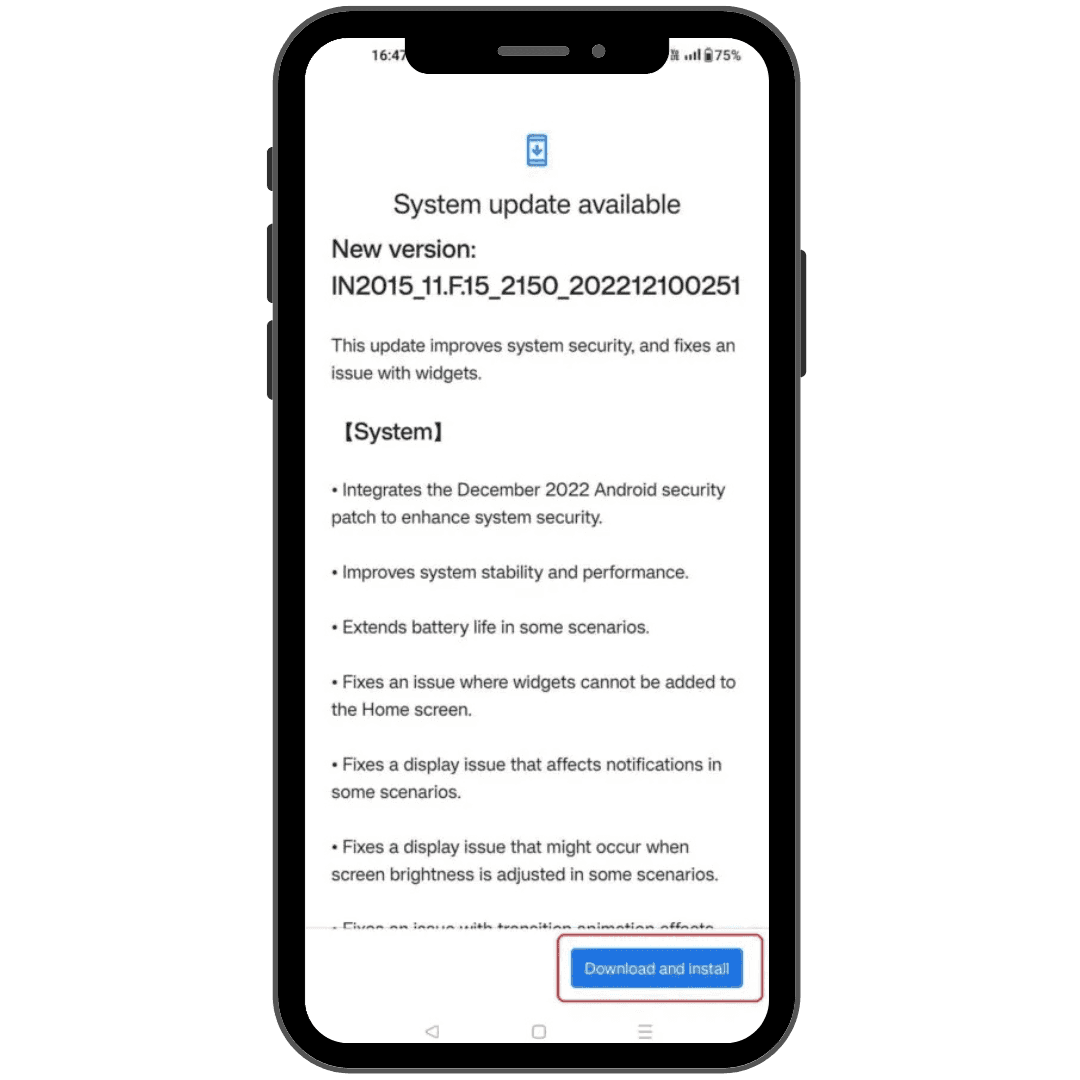
Update to latest version
Go to settings
Click ‘About device’
View/Software/System updates (depends on device)
Update to latest version
Update your device’s OS before 1 April 2026 to ensure a smooth and safe experience with Be U!
Disclaimer: The information presented above is for educational and informational purposes only and it should not be considered as personalized financial planning services. It is not intended as financial, legal, accounting, tax, or any other advisory guidance. Prior to making any financial or other decisions, you must obtain your own independent advice tailored to your individual circumstances.
As part of your decision-making process, you are advised to read the applicable Terms and Conditions (T&C), Product Disclosure Statement (PDS) and Frequently Asked Questions (FAQ) to make informed decisions before subscribing and/or participating in any Be U products.